- Početna stranica /
- Elektronika /
- Computer Accessories /
- Computer Accessories & Peripherals /
- Input Devices /
- Digital Pens /
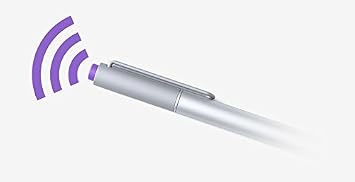
- Microsoft Surface Pen for Surface Pro 3
0 ratings






Stavka #:
18073
Microsoft Surface Pen for Surface Pro 3
85% of respondents would recommend this to a friend
Stavka #:
18073
€ 67
Price Details
Excluding Shipping & Custom charges ( Shipping and custom charges will be calculated on checkout )
*All items will import from SAD
0 ratings
Napišite recenziju
Na lageru
 Uvezeno iz USA trgovine
QTY:
Na zalihi je ostalo samo 5 artikala.
Naručite sada i dobijte ga oko Sunday, Listopad 11
Secured transaction
Ubuy works hard to protect your security and privacy. Our advanced payment security system ensures confidentiality by encrypting your information during transmission using AES (Advanced Encryption Standards) and SSL (Secure Socket Layer) protocols. Your payment details are 100% secure as we do not share your payment details with third party sellers.
Our Top Logistics Partners


Unleash your creativity with Surface Pen. It offers a natural writing experience, with pressure sensitivity and palm block technology.

Fast
Shipping

Free
Return*

Secure Packaging

100% Original Products

PCI DSS Compliance

ISO 27001 Certified



Note: Step Down Voltage Transformer required for using electronics products of SAD store (110-120). Recommended power converters Kupi sada.


What Stands Out
Precision Writing
The Surface Pen provides precise input with pressure sensitivity, allowing for natural writing and drawing experiences, making it perfect for artists and professionals alike.
Ergonomic Design
Featuring a comfortable, lightweight design, the Surface Pen is easy to hold for extended periods, reducing hand fatigue during long writing or drawing sessions.
Seamless Integration
Designed specifically for the Surface Pro 3, the Surface Pen offers seamless interoperability with Windows applications, enhancing productivity and streamlining workflows for users.
Detalji o proizvodu
| Brand | Microsoft |
| Model Number | 3UY-00001 |
| Number of Packs | 1 |
| UPC | 604753065882 885370706352 |
| Global Trade Identification Number | 00885370706352 |
| Unit Count | 1 Count |
| Manufacturer | Microsoft |
| Mfr Part Number | 3UY-00001 |
| Number of Batteries | 1 AA batteries required. |
| Compatible Devices | Microsoft Surface pro 3 |
| Battery Description | Alkaline |
| Pressure Sensitivity | 250 levels |
| Minimum Required Operating System Version | Windows 10 |
| Compatible Tablet Computer Models | Microsoft Surface Pro 3 |
| Item Weight | 18.14 g |
| Item Dimensions | 0.37 x 5.31 x 0.37 inches (0.9 x 13.5 x 0.9 cm) |
| Item Diameter | 9.5 millimeters |
| Color | Silver |
| Enclosure Material | Aluminum |
| Material | Aluminum |
| Item dimensions L x W x H | 0.37 x 5.31 x 0.37 inches (0.9 x 13.5 x 0.9 cm) |
Who Should Buy?

-
Artists and Designers
Perfect for those who require precision and a natural writing feel, enabling detailed sketches and creativity.
-
Students and Note-Takers
Ideal for students who benefit from taking hand-written notes, making annotations, and organizing materials digitally.
-
Business Professionals
Useful for professionals needing to sign documents, jot down quick notes, or navigate presentations seamlessly on their devices.

-
Casual Users
Not suitable for users who primarily use their devices for basic tasks without needing stylus features or drawing capabilities.
OPIS PROIZVODA
Imate li pitanja? Cavrljajte s nama
Pitanja i odgovori kupaca
-
pitanje:
Kako kupovati Microsoft Surface Pen for Surface Pro 3 online od Ubuya?
odgovor: Jednostavno je kupovati Microsoft Surface Pen for Surface Pro 3 online s Ubuya.. Samo trebate potražiti proizvod, odabrati način dostave tijekom odjave i dobiti ga na svoju lokaciju. -
pitanje:
Je li Microsoft Surface Pen for Surface Pro 3 dostupan za online kupnju u Croatia?
odgovor: Da, na Ubuyu Croatia ovaj proizvod vam je dostupan za kupnju po razumnoj cijeni.. Microsoft Surface Pen for Surface Pro 3 nije dostupan lokalno, ali možete nam povjeriti naše usluge ekspresne dostave. -
pitanje:
Koliko dugo je potrebno da dobijete proizvod nakon narudžbe?
odgovor: Vrijeme isporuke vašeg naručenog proizvoda ovisi o tome što ste naručili i načinu dostave koji ste odabrali.. Predviđeno vrijeme dostave navedeno je tijekom procesa naplate, stoga budite bezbrižni prilikom kupovine.
Microsoft Digital Pens 3UY-00001 Editorial Review
Nije pronađena urednička recenzija
Customer Reviews & Ratings
742 ocjene kupaca
-
5 zvjezdica
64%
-
4 zvjezdica
14%
-
3 zvjezdica
11%
-
2 zvjezdica
4%
-
1 zvjezdica
7%
Recenzirajte ovaj proizvod
Podijelite svoje misli s drugim kupcima
Product Price History
Važne informacije
- Ograničenja: imajte na umu da jamstvo možda ne vrijedi za proizvode koji se dostavljaju u inozemstvo; servis možda neće biti dostupan; priručnici proizvoda, upute i sigurnosna upozorenja možda nisu na jeziku zemlje odredišta; proizvodi (i prateći materijali) možda nisu u skladu sa standardima, specifikacijama i zahtjevima za označavanje zemlje odredišta; proizvod možda nije usklađen s naponom struje i drugim električnim standardima (zbog čega će možda trebati adapter ili pretvarač). Primatelj je odgovoran za provjeru može li proizvod prema važećim zakonima biti uvezen u zemlju odredišta. Kad naručujete od Ubuya ili njegovih partnera, primatelj se smatra registriranim uvoznikom i mora se pridržavati svih zakona i propisa zemlje odredišta.
- Svi proizvodi navedeni na Ubuyu nisu za prodaju, jer je Ubuy globalna tražilica. Proizvodi podliježu propisima o izvozu i trgovini.
€ 67
Naručite sada i dobijte ga oko Sunday, Listopad 11
This item is not restrict in my country.(Please click on above link if this item is not restrict in your country, So our team will review and allow.)
QTY:
Na zalihi je ostalo samo 5 artikala.
Secured transaction
PCI DSS compliant and ISO 27001:2022 certified, with encrypted payments and full buyer protection on every order.
Our Top Logistics Partners
Fastest cross-border delivery
Ubuy Assurance
Experience worry-free shopping with 100% original products, PCI DSS-compliant payment security, ISO 27001-certified data protection, the fastest cross-border delivery, free returns *, and secure packaging on every order.