- Početna stranica /
- Knjige /
- Računala i tehnologija /
- Operating Systems /
- Windows /
- Windows Desktop /
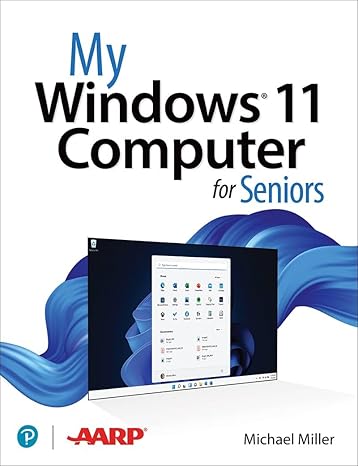
- My Windows 11 Computer for Seniors
0 ratings


Stavka #:
50188133
My Windows 11 Computer for Seniors
Stavka #:
50188133
€ 51
Price Details
Excluding Shipping & Custom charges ( Shipping and custom charges will be calculated on checkout )
*All items will import from SAD
0 ratings
Napišite recenziju
Na lageru
 Uvezeno iz USA trgovine
QTY:
Naručite sada i dobijte ga oko Četvrtak, Listopad 08
Secured transaction
Ubuy works hard to protect your security and privacy. Our advanced payment security system ensures confidentiality by encrypting your information during transmission using AES (Advanced Encryption Standards) and SSL (Secure Socket Layer) protocols. Your payment details are 100% secure as we do not share your payment details with third party sellers.
Our Top Logistics Partners


My Microsoft Windows 11 Computer for Seniors is an easy, full-color tutorial on the latest operating system from Microsoft.

Fast
Shipping

Free
Return*

Secure Packaging

100% Original Products

PCI DSS Compliance

ISO 27001 Certified



Note: Step Down Voltage Transformer required for using electronics products of SAD store (110-120). Recommended power converters Kupi sada.


What Stands Out
Senior-Friendly Design
This edition offers a simplified interface tailored for seniors, ensuring ease of navigation and reducing technology-related stress. Users can enjoy a more accessible experience with clear, large text and intuitive controls.
Comprehensive Tutorials
Includes detailed step-by-step guides and tutorials specifically created for seniors. These resources empower older adults to master Windows 11 functionalities confidently, fostering independence in using modern technology.
Enhanced Support Resources
Access to dedicated customer support designed for seniors, offering personalized assistance. This feature addresses common user challenges, ensuring that help is available when needed, which enhances user satisfaction and confidence.
Detalji o proizvodu
| Publisher | Que Publishing |
| Publication date | March 14, 2022 |
| Edition | 1st |
| Language | English |
| Print length | 416 pages |
| ISBN-10 | 0137841701 |
| ISBN-13 | 978-0137841707 |
| Item Weight | 2.31 pounds (1.05 kg) |
| Dimensions | 6.9 x 1.1 x 9 inches (17.5 x 2.8 x 22.9 cm) |
| Part of series | My... |
Who Should Buy?

-
Elderly Beginners
Perfect for seniors who are new to computers and seek easy-to-understand instructions for practical tasks.
-
Tech-Savvy Seniors
Ideal for senior users familiar with technology but needing guidance specific to Windows 11 features.
-
Caregivers Assistance
Useful for caregivers looking to assist seniors with comfortable and simple explanations of computer operations.

-
Advanced Users
Not suitable for experienced users who require in-depth technical content or advanced troubleshooting techniques.
OPIS PROIZVODA
My Windows 11 Computer for Seniors
About This Item
Introducing My Windows 11 Computer for Seniors 1st Edition: Your Ultimate Guide to Navigate the Latest Operating System Are you a senior looking to upgrade to Windows 11? Look no further! My Windows 11 Computer for Seniors 1st Edition is here to help you unlock the full potential of your new operating system. Designed specifically for seniors, this comprehensive guide is packed with easy-to-follow instructions, helpful tips, and practical advice to ensure a seamless transition to Windows 11. With our step-by-step tutorials, you'll quickly become proficient in using all the essential features of your new computer. Whether you're new to Windows or upgrading from a previous version, My Windows 11 Computer for Seniors provides a user-friendly interface that caters to your unique needs. We understand that technology can sometimes feel overwhelming, but rest assured, this guide breaks down complex concepts into simple, bite-sized instructions that are easy to understand and apply. From setting up your Windows 11 computer to troubleshooting common issues, we cover it all.
Our detailed chapters cover a range of topics, including: 1. Customizing your desktop: Discover how to personalize your computer by changing wallpapers, themes, and fonts. 2. Navigating the new Start menu: Learn how to find your favorite apps, pin them to the taskbar, and quickly access them with just a few clicks. 3.
Mastering the Microsoft Store: Discover a world of apps, games, and entertainment tailored just for you. 4. Optimizing your computer's performance: Keep your computer running smoothly by utilizing performance-enhancing tools and optimizing settings. 5. Staying safe online: Learn essential cybersecurity practices, such as setting up strong passwords and using antivirus software to protect your personal information. With My Windows 11 Computer for Seniors as your go-to resource, you'll gain the confidence you need to explore all the features this advanced operating system has to offer.
Whether you want to video chat with loved ones, manage your finances, or pursue a new hobby online, this guide will help you make the most of your Windows 11 computer. Don't let technology intimidate you! Join the growing community of seniors who are embracing Windows 11 with confidence and ease. Order your copy of My Windows 11 Computer for Seniors 1st Edition today and embark on an exciting digital journey designed just for you.
Imate li pitanja? Cavrljajte s nama
Pitanja i odgovori kupaca
-
pitanje:
Kako kupovati My Windows 11 Computer for Seniors online od Ubuya?
odgovor: Jednostavno je kupovati My Windows 11 Computer for Seniors online s Ubuya.. Samo trebate potražiti proizvod, odabrati način dostave tijekom odjave i dobiti ga na svoju lokaciju. -
pitanje:
Je li My Windows 11 Computer for Seniors dostupan za online kupnju u Croatia?
odgovor: Da, na Ubuyu Croatia ovaj proizvod vam je dostupan za kupnju po razumnoj cijeni.. My Windows 11 Computer for Seniors nije dostupan lokalno, ali možete nam povjeriti naše usluge ekspresne dostave. -
pitanje:
Koliko dugo je potrebno da dobijete proizvod nakon narudžbe?
odgovor: Vrijeme isporuke vašeg naručenog proizvoda ovisi o tome što ste naručili i načinu dostave koji ste odabrali.. Predviđeno vrijeme dostave navedeno je tijekom procesa naplate, stoga budite bezbrižni prilikom kupovine.
Windows Desktop Editorial Review
My Windows 11 Computer for Seniors is an invaluable resource designed specifically for elderly users navigating the Windows 11 operating system. This 416-page guide offers clear instructions and accessible language to ensure that seniors can comfortably learn and adapt to new technology. Published by Que Publishing on March 14, 2022, the book's structured format, along with practical tips, helps users understand essential features and functions of Windows 11. Readers appreciate the straightforward explanations, making technology less intimidating and more approachable for older adults. The book's size and layout are physically manageable, enhancing the reading experience for seniors.
Customer Reviews & Ratings
1 ocjene kupaca
-
5 zvjezdica
100%
-
4 zvjezdica
0%
-
3 zvjezdica
0%
-
2 zvjezdica
0%
-
1 zvjezdica
0%
Recenzirajte ovaj proizvod
Podijelite svoje misli s drugim kupcima
Pros
- Clear instructions tailored for seniors
- User-friendly language and format
- Covers essential Windows 11 features
- Practical tips for everyday use
- Convenient size for easy handling
Protiv
- Content may be too basic for advanced users
Product Price History
Važne informacije
- Ograničenja: imajte na umu da jamstvo možda ne vrijedi za proizvode koji se dostavljaju u inozemstvo; servis možda neće biti dostupan; priručnici proizvoda, upute i sigurnosna upozorenja možda nisu na jeziku zemlje odredišta; proizvodi (i prateći materijali) možda nisu u skladu sa standardima, specifikacijama i zahtjevima za označavanje zemlje odredišta; proizvod možda nije usklađen s naponom struje i drugim električnim standardima (zbog čega će možda trebati adapter ili pretvarač). Primatelj je odgovoran za provjeru može li proizvod prema važećim zakonima biti uvezen u zemlju odredišta. Kad naručujete od Ubuya ili njegovih partnera, primatelj se smatra registriranim uvoznikom i mora se pridržavati svih zakona i propisa zemlje odredišta.
- Svi proizvodi navedeni na Ubuyu nisu za prodaju, jer je Ubuy globalna tražilica. Proizvodi podliježu propisima o izvozu i trgovini.
€ 51
Naručite sada i dobijte ga oko Četvrtak, Listopad 08
This item is not restrict in my country.(Please click on above link if this item is not restrict in your country, So our team will review and allow.)
QTY:
Secured transaction
PCI DSS compliant and ISO 27001:2022 certified, with encrypted payments and full buyer protection on every order.
Our Top Logistics Partners
Fastest cross-border delivery
Značajke i prednosti
- Step-by-step instructions and large, full-color photos
- Configure Windows 11 for those with vision and physical challenges
- Find, install, and use the best Windows apps
- Shop safely online and avoid online scams
- Make and receive video and voice calls with Skype
- Watch streaming video on your PC with Disney+, Netflix, YouTube, and more
Ubuy Assurance
Experience worry-free shopping with 100% original products, PCI DSS-compliant payment security, ISO 27001-certified data protection, the fastest cross-border delivery, free returns *, and secure packaging on every order.